
The pirate game Windrose is out now in early access, and it has a ton of different controls for your character, ships, building, and more. It offers strong PC keyboard/mouse support with partial rebinding, plus full controller support. Combat feels responsive on both inputs, but some players note minor quirks (e.g., fixed camera keys or context-specific binds like on-foot vs. ship).
The default controls are fine, but you can also remap them if you wish to. In this guide, let’s go through all Windrose controls and how to remap them.
Complete List of Windrose Controls for Mouse and Keyboard
Character
| Action | Input |
|---|---|
| Move Forward | W |
| Move Backward | S |
| Move Left | A |
| Move Right | D |
| Sprint | Shift |
| Jump | Space |
| Dash | Ctrl |
| Walk | Caps Lock |
| Interact | E |
| Target Lock | T |
| Aim | Alt |
| Fire | Left Mouse Button |
| Light Attack | Left Mouse Button |
| Heavy Attack | Right Mouse Button |
| Block | Middle Mouse Button |
| Reload | R |
| Remove Weapon (hold) | R (hold) |
| Change Target (Left) | [ |
| Change Target (Right) | ] |
| Change Target (Up) | — |
| Change Target (Down) | — |
| Special Attack | F |
| Use Item 1 – 8 | 1 – 8 |
| Shovel: Next Mode | 2 |
| Shovel: Previous Mode | 3 |
Building
| Action | Input |
|---|---|
| Building Mode | B |
| Open Catalog | Right Mouse Button |
| Build / [HOLD] Quick Build | Left Mouse Button |
| Rotate | Mouse Scroll |
| Building Options | Q |
| Toggle Destroy Mode | Middle Mouse Button |
| Camera Mode | V |
| Snapping Mode | P |
| Shift Block | Z |
| Rotation Step | L |
| Destroy Block | Left Mouse Button |
Menus
| Action | Input |
|---|---|
| Game Menu | Escape |
| Inventory | Tab |
| Map | M |
| Discovery | G |
| Adventure | J |
| Recall Ship | K |
| Previous Tab | Q |
| Next Tab | E |
| Previous Tab (Secondary) | A |
| Next Tab (Secondary) | D |
| Confirm Operation | Space bar |
| Decrease Value | Z |
| Increase Value | X |
| Story: First Page | Q |
| Story: Previous Page | A |
| Story: Play / Pause | Space bar |
| Story: Next Page | D |
| Story: Last Page | E |
| Story: Close | Escape |
Ship
| Action | Input |
|---|---|
| Speed Up | W |
| Slow Down / Reverse | S |
| Camera Mode | F |
| Toggle Shanty | B |
| Turn Right | D |
| Turn Left | A |
| Begin Boarding | Space bar |
| Next shanty | N |
| Leave Helm | E |
| Interact (from ship) | Space bar |
| Aim | Right Mouse Button |
| Fire | Left Mouse Button |
| Select Cannonballs | 1 |
| Select Chain Shots | 2 |
Windrose Complete Controls for Xbox and PlayStation Controllers
Below is the complete list of Windrose controls on controllers.
| Action | Xbox | PlayStation (Steam Input) |
|---|---|---|
| Aim | LT | L2 |
| Block | LB | L1 |
| Move | Left Stick | Left Stick |
| Sprint (press) | Left Stick (press) | L3 |
| Inventory | View (tap) | Touchpad (tap) |
| Open Map (hold) | View (hold) | Touchpad (hold) |
| Game Menu | Menu (tap) | Options (tap) |
| Remove Weapon (hold) | Menu (hold) | Options (hold) |
| Heavy Attack | RT | R2 |
| Light Attack | RB | R1 |
| Jump | A | Cross (X) |
| Dash | B | Circle |
| Sprint (hold) | B (hold) | Circle (hold) |
| Interaction | X | Square |
| Secondary Interaction (hold) | X (hold) | Square (hold) |
| Reload | Y | Triangle |
| Switch Action Slots (hold) | Y (hold) | Triangle (hold) |
| Look | Right Stick | Right Stick |
| Target Lock | Right Stick (press) | R3 |
| Use Item 1 | D-pad Up | D-pad Up |
| Use Item 2 | D-pad Right | D-pad Right |
| Use Item 3 | D-pad Down | D-pad Down |
| Use Item 4 | D-pad Left | D-pad Left |
| Special Attack | LB + RB | L1 + R1 |
How to Remap Windrose Controls
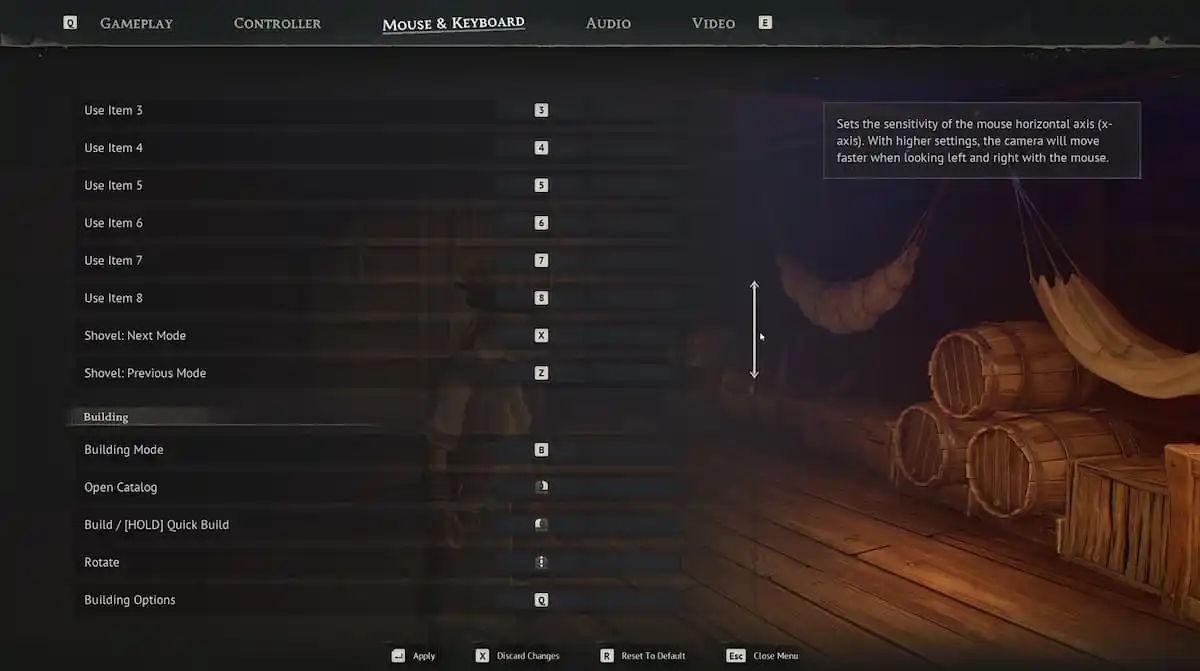
Yes, you can remap Windrose controls and it is pretty easy to do. Windrose has a built-in rebinding system. However, not every key can be remapped fully, especially some camera arrows. To remap controls, do the following:
- Launch Windrose
- Press ECS and open settings
- Go to Mouse and Keyboard tab
Here you will see a list of all actions you can perform in Windrose. Remap the controls your preference.